COMPUTER
AIDED ARCHITECTURAL DESIGN
ARCH 2710: December 2, 2025
Exercise 6: FINAL
SUBMISSION
Due Date: Friday, December 19, 2025, noon (+ 3 hour grace period = 3 pm) *
Preview Draft
Overview
The final submission of your work for the semester is due on December 19th at noon. There is a 3 hour grace period to 3 pm. We have covered a range of geometrical modeling, global illumination, animation and visualization methods. You are at liberty to use discretion as to which methods in each of these areas are most relevant to your case study. Please review this entire document in full and bring any questions to office hours or class by December 4th. Your submission should include three parts in priority of:
Place the three parts in a folder titled Final in your exercise 6 submit folder on classes.
* Grading of the final project needs to begin immediately after the project is due. Therefore, this is a hard deadline and no extensions of time will be possible.
|
|
|---|---|
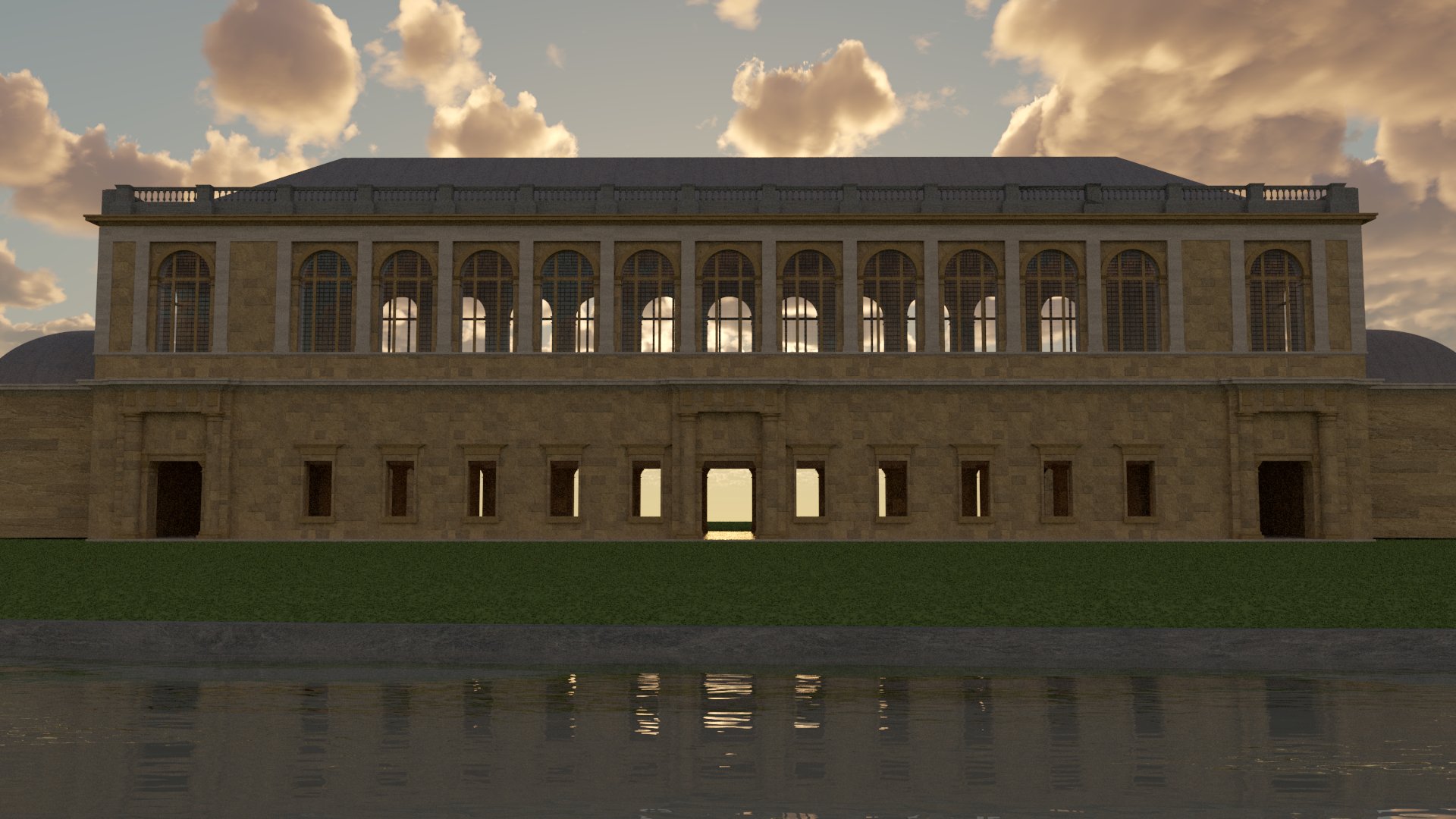
| Emma Lohr, Arch 2710, Fall 2023, Wren Library, Cambridge |
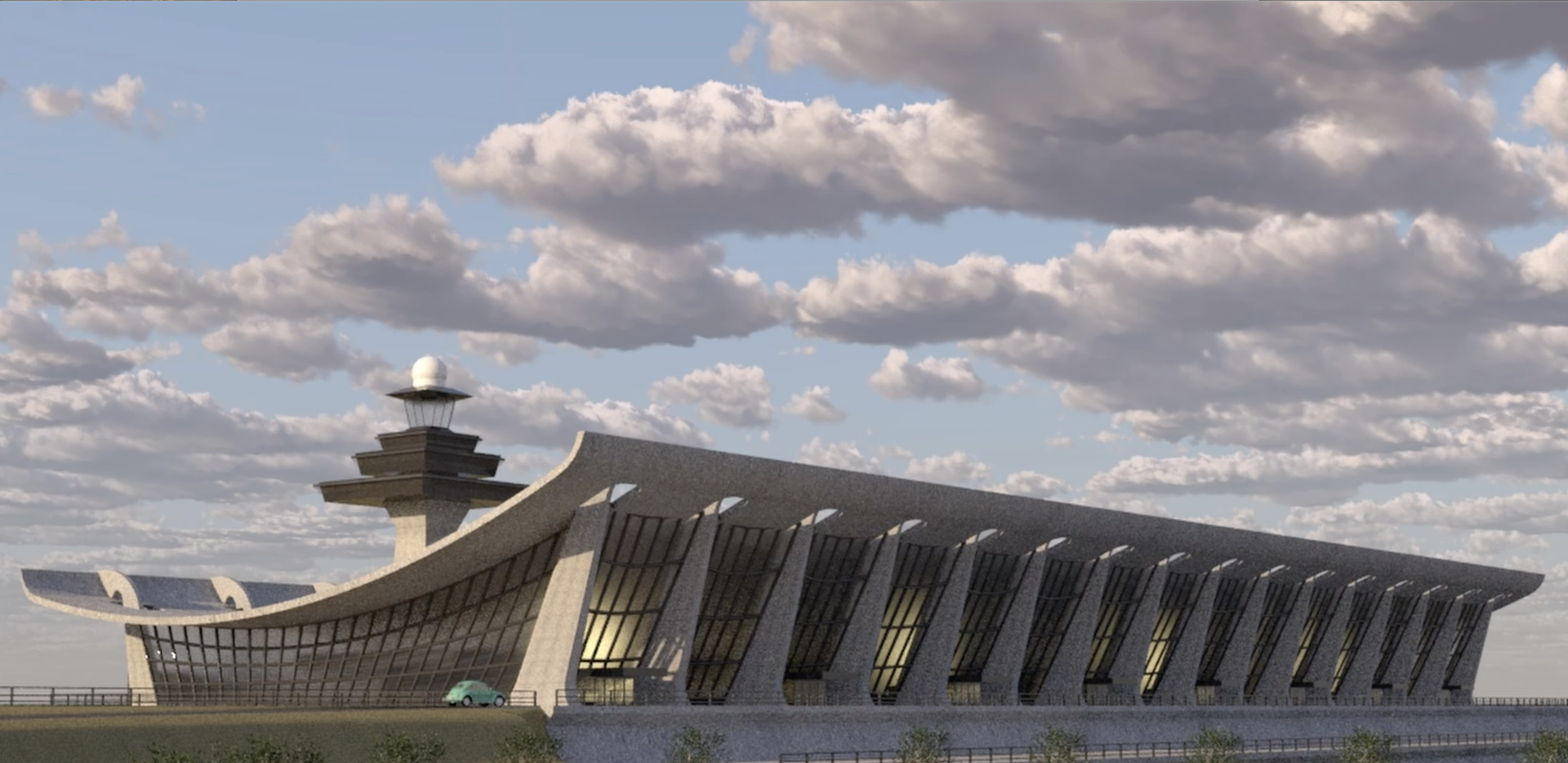
Matthew Rusten, Arch 2710, Fall 2023, Saarinen's Dulles Airport |
| Select Image For Magnified Alternative View | Select Image For Magnified Alternative View |
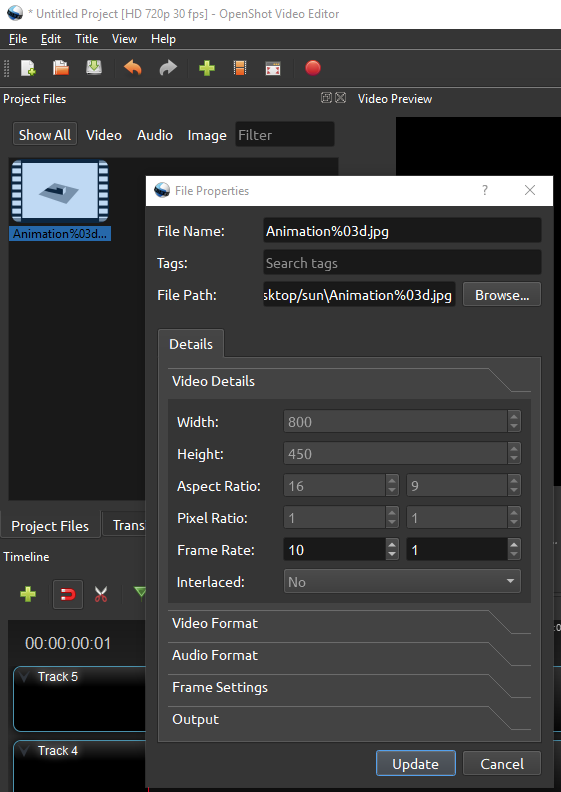
* TIP: For compiling the frames into a movie file, OpenShot is the free open source video editing program that we covered in the discussion session workshop. Right-mouse-button click on the "File Properties" of imported media in the "Project Files" area. To control the elapsed time in the movie for each frame, go to the "Video Details" panel, and then reset the value to 10 frames per second in the "Video Details" panel if you wish the playback speed to be 10 frames per second. Do this before placing the video on the Video Track editor timeline. It will appear to playback at 10 frames per second (or whatever frame rate you wish). The default playback speed is 30 frames pers second.
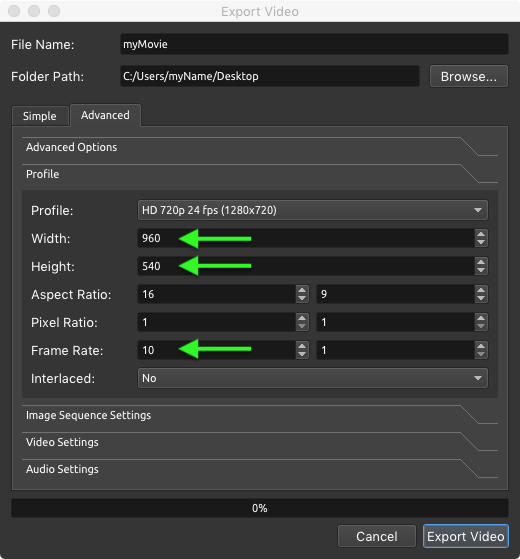
Caution: Playback speed typically defaults to 30 frames per second, but the speed and resolution can seemingly (but somewhat misleadingly) be also set in the export option dialog box (https://www.openshot.org/blog/2009/07/16/slow-it-down-no-wait-speed-it-up/). For OpenShot, use the Advanced Options tab in the export dialog sequence. In the example below the resolution is set to 960 x 540 pixels. The frame rate is set to 10 frames per second. However, this frame rate is slightly deceptive. In this example it means that it will just render 10 out of every 30 frames, and so the other 20 ot those 30 frames will be missing from the final compiled movie. It will not render each frame at 10 frames per second.
It would be best to give highest priority to Part 1 a( 3D modleing and V-Ray rendering) in Rhino. Parts 2 and 3 should be viewed as secondary and, and may be approached on a more abstract and limited basis as time allows.
How to hand in this assignment
December 19th is the last date possible to submit the work in time for a review of your work by the SIAs (TAs) and Earl Mark that will be held the next day. Once agin, your rendered image submissions, Grasshopper file, Rhino 3dm file and animation file should be placed within an Exercise 6 folder tyou need to create itled Final in your submit directory.
In addition, submit in writing a one to three paragraph description that describes the focus of your work. The written text should be sent via eMail to ejmark@virginia.edu and copied to your SIA. You are welcome to submit your final project earlier than the final due date. You are requested to verify with the assistance of the course instructor or a student instructional assistant (SIA) that your files are properly copied into the submit folder. Verification of your eMail and submitted work will be given within 24 hours of the final due date. If you do not receive verification, or will not have internet access, then you should check with your SIA for confirmation of any special arrangment that may be needed (or the course instructor if the SIA isn't avaiable).
Submission from Off Grounds, Early Safety Preliminary Submission, Remote Access
You do not need to be present in Charlottesville to submit your final project. However, it's highly recommended you have a fully working draft already submitted in your Exercise 6/Final folder at least two days before the due date or before you leave town, whichever comes first. Moreover, if you do plan to travel before you submit your final draft of this exercise then it is essential that you acquire a copy of VMWare for access to the virtual computer system and VPN for direct file transfer access to the file servers at UVA. You should also install and test in advance these personal versions of WMWare and VPN from your personal computer that you take with you before you leave town. Here again, as previously announced by email, are some essential links that you can use to acquire and receive support on these two remote access programs:
Remote Access to Virtual Computers (VMWare):
VMWare installation and instructions: https://www.arch.virginia.edu/resources/virtual-workstations
School of Architecture IT Help Line: https://arch-web.arch.virginia.edu/it_request/
Caveats
Good luck!